
Update your bank account or tax details
How to change your IBAN or fiscal info safely, and why we double-confirm bank changes.
You can update your bank account and tax details any time from your operator account page.
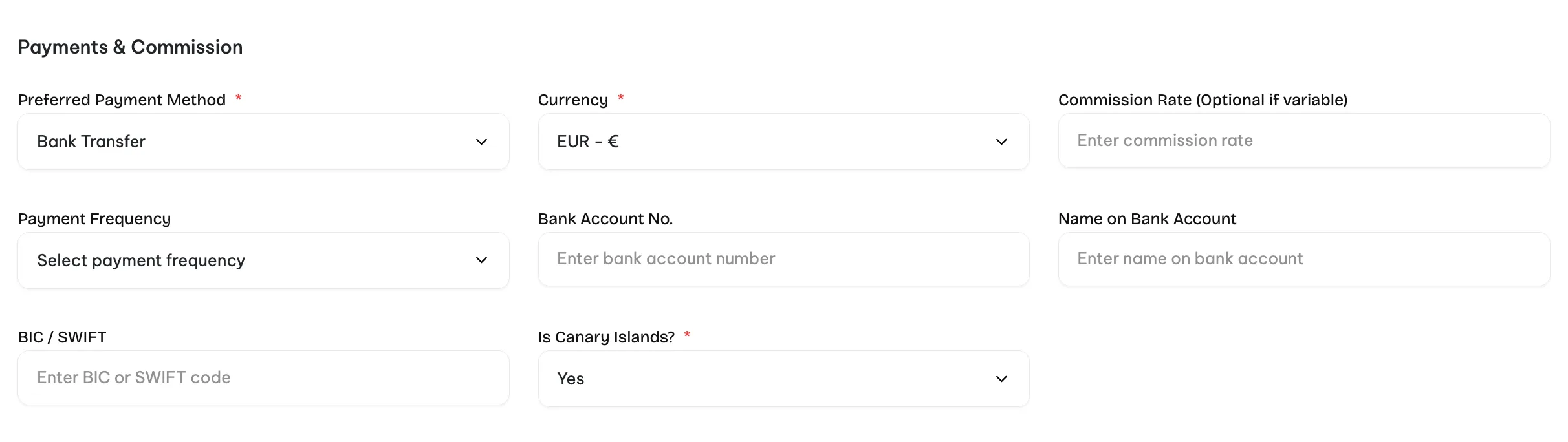
Changing your IBAN generates a new contract
When you change the bank account, we automatically generate a new contract that reflects the updated IBAN. Before payouts resume, the contract has to be signed by both sides: you accept it from the operator panel, and our team accepts it on our side.
The reason is fraud prevention. IBAN changes are one of the most common attack vectors for takeover fraud on marketplaces, and the double confirmation blocks that class of attack before any money moves.
The extra step usually takes a few hours during business days. Once both signatures are in, payouts go to the new account from that point forward.
Other changes
Fiscal information, billing address, company name and contact details can be updated in the same page. Those do not trigger a new contract. They apply to the next invoice we issue.
If anything feels off after an update, email partners@turinity.com and we will check it.