
How and when payouts arrive
Monthly payouts to your PayPal or bank account, each with a downloadable statement and commission invoice.
Payouts cover bookings on the online-first model. Pay-in-person bookings are not in the payout list because you already collected the balance from the customer.
Cadence
One payout per month, in the currency tied to your operator account. Every activity you publish on Turinity is priced in that same currency, so you don't deal with multi-currency reconciliation on your side.
Where the money lands
PayPal or bank transfer, whichever you set up in Update bank account.
Where to find your payouts
The Payouts section in the operator panel lists every payout with its period, status, currency, and net amount.
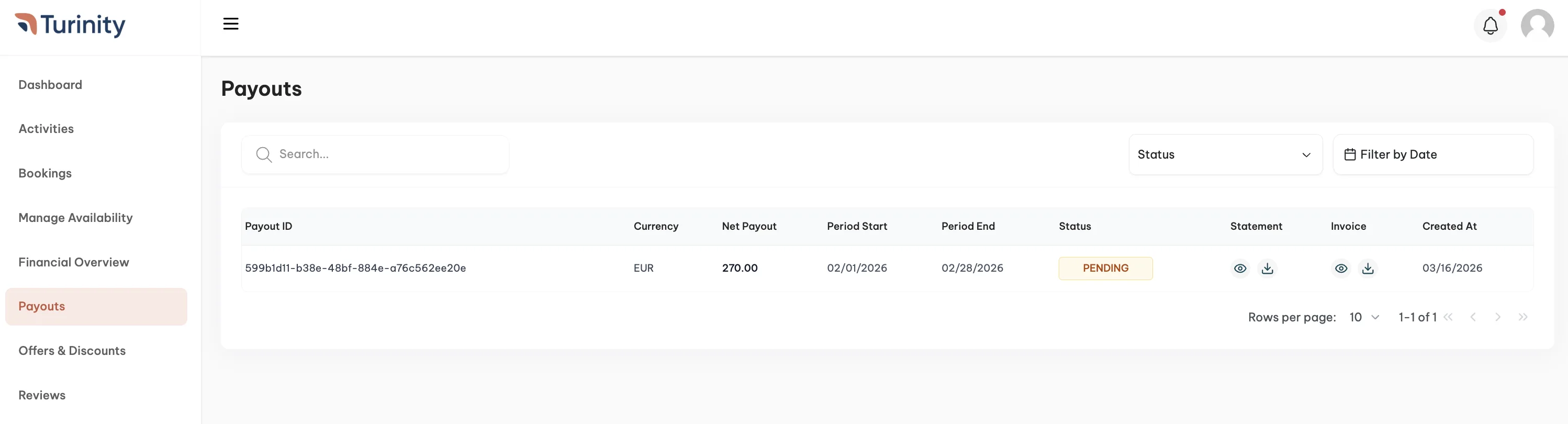
For each payout you can download two PDFs:
- Statement: the breakdown of every booking included in the payout, with gross, refunds, and the net.
- Invoice: the commission invoice we issue to you for that period.
If a payout sits in Pending past the expected date, email partners@turinity.com with the payout ID.