
Publish your first activity
Create an activity from scratch, or let our AI draft most of it for you.
When you start a new activity from the operator panel, you pick how you want to write the content: let the AI draft it for you, or fill every section yourself. AI is the default path because it gets you to a publishable listing faster.
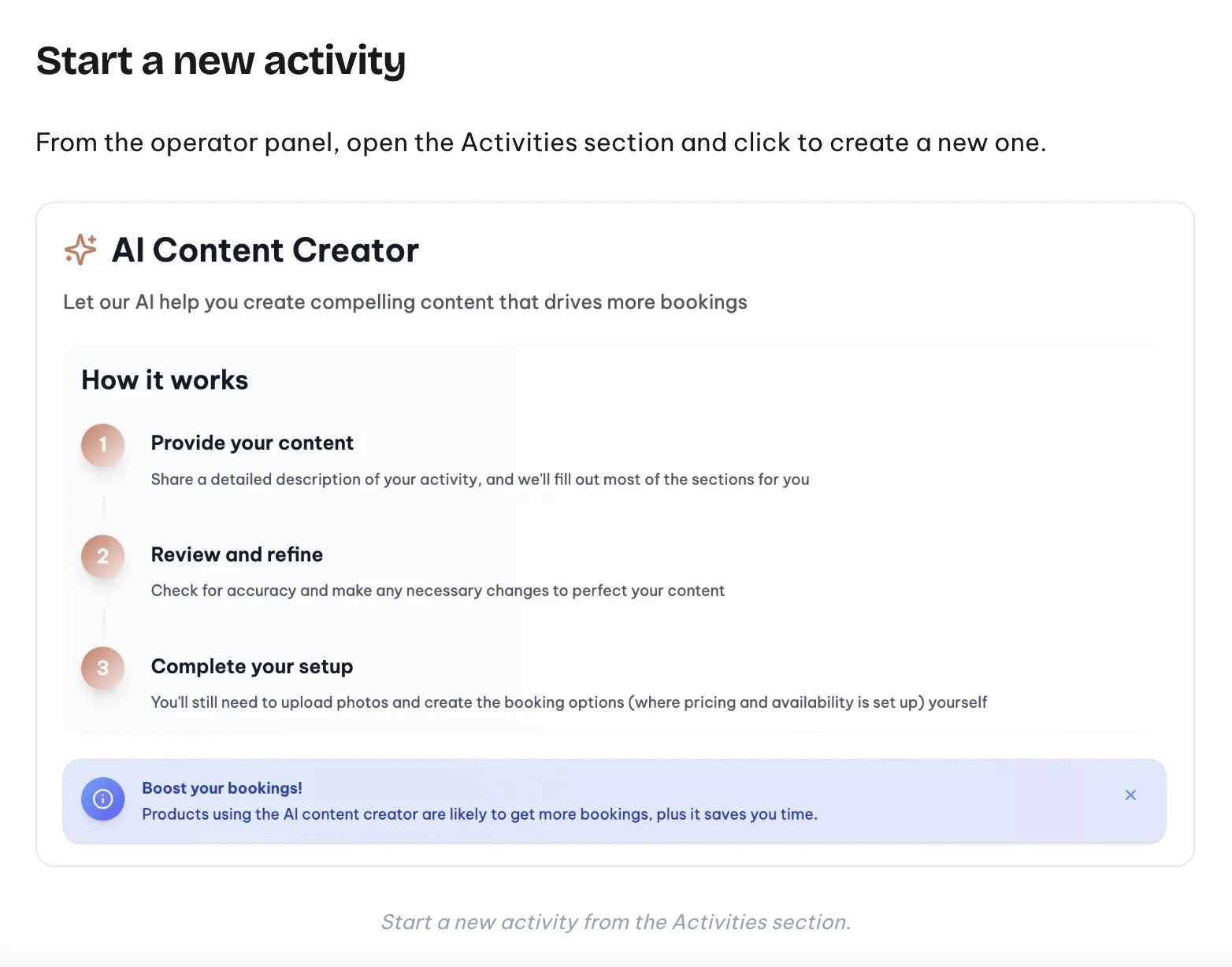
Start a new activity
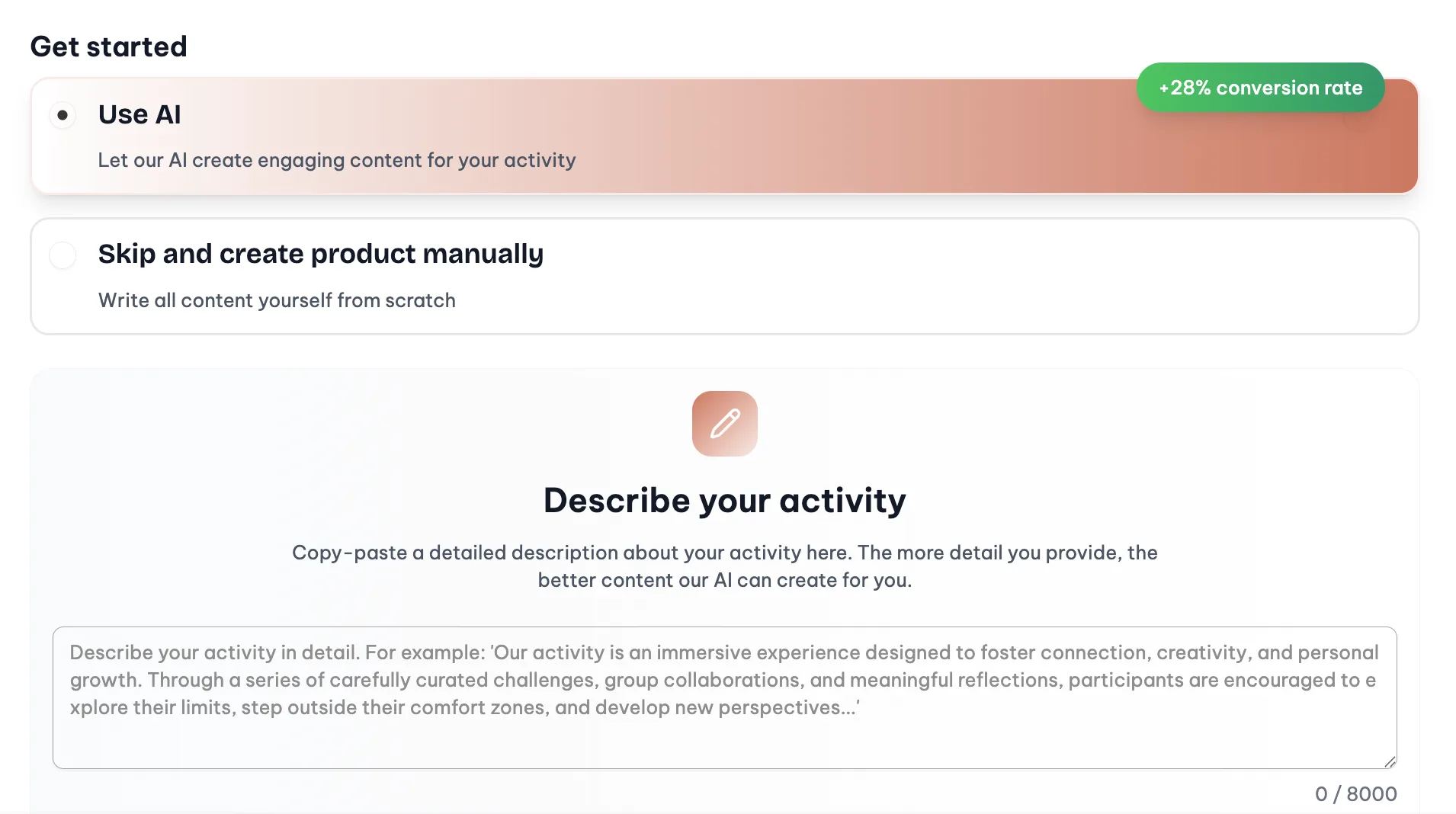
Open the Activities section in the operator panel and click to create a new one. You will land on a screen asking how you want to get started.
Use the AI Content Creator
Pick "Use AI" on the Get started screen and paste a detailed description of your activity in the textarea. The AI fills in the title, the short summary, the long description, the what-is-included list, and the rest of the copy sections.
It works in three steps: you provide the content, you review and refine the draft, and you complete the setup yourself (photos and the booking options where pricing and availability live).
You can edit anything before publishing, and translations into the other languages happen automatically once the listing is saved.
Skip the AI and write it yourself
If you prefer to write everything from scratch, pick "Skip and create product manually" on the same screen. Same fields, no draft, you fill them.
Next
- Set up options, seasonal pricing and pricing rules
- Read the photo guide
- Check how translations work